2. Use - retrieving and deleting messages


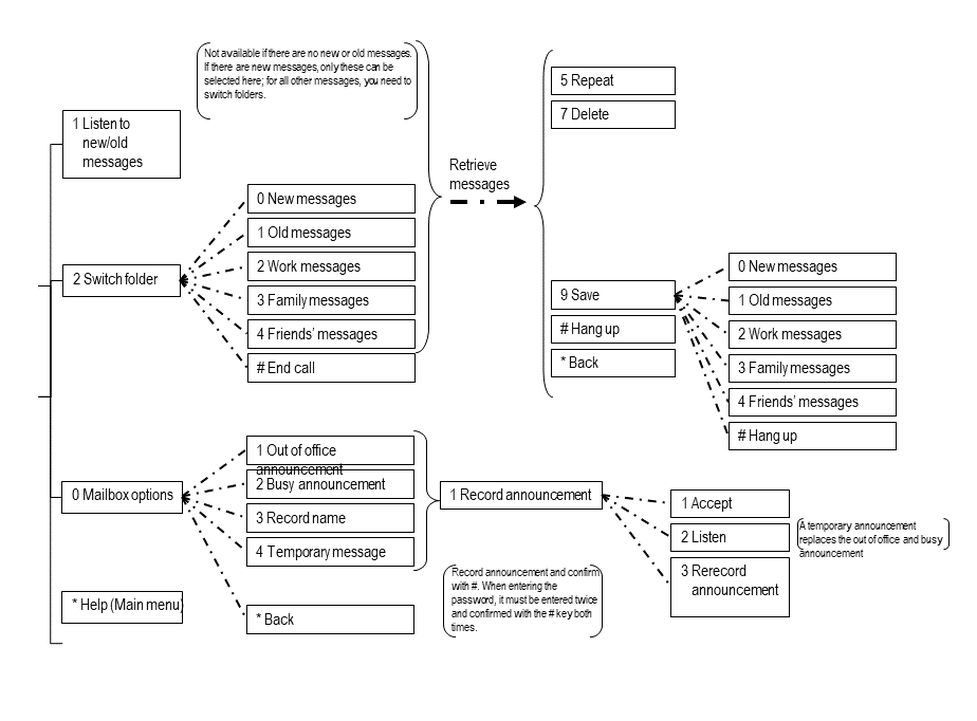
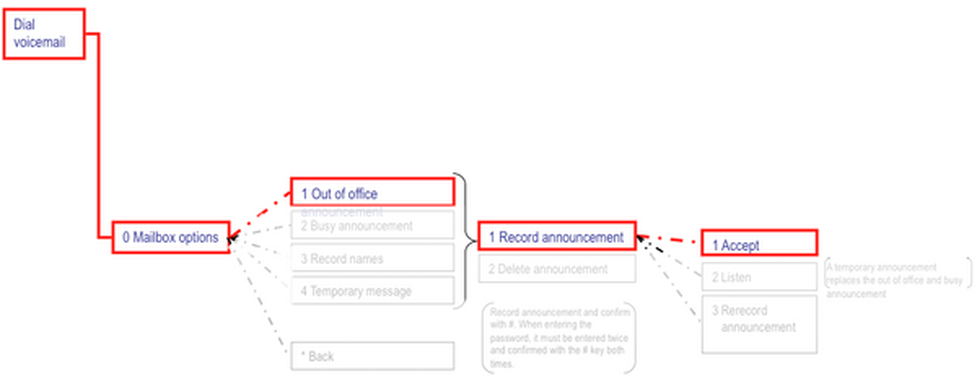
There are two options available for retrieving new or old messages:
1.When a message has been saved in the voice mail system, you can retrieve the new or old message by pressing 1 after accessing the voice mail system and entering your password.
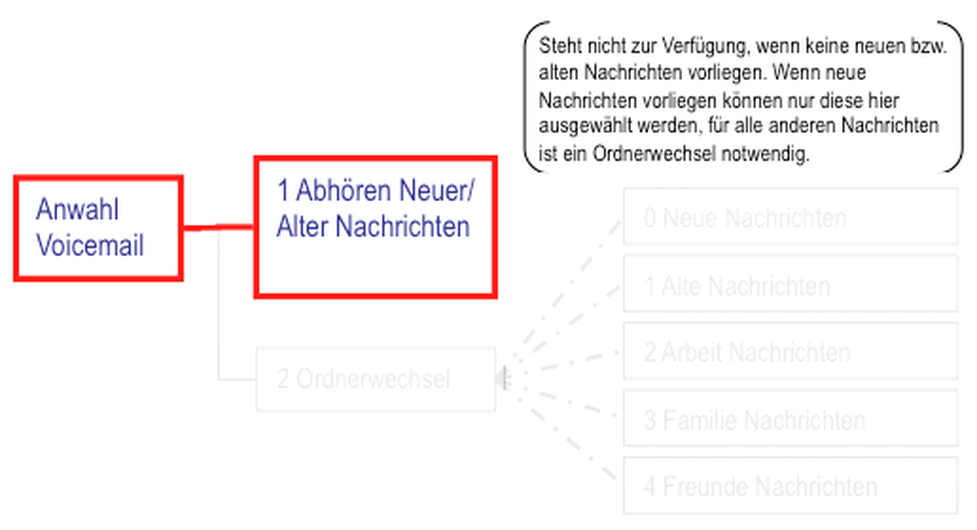
Or proceed as follows:
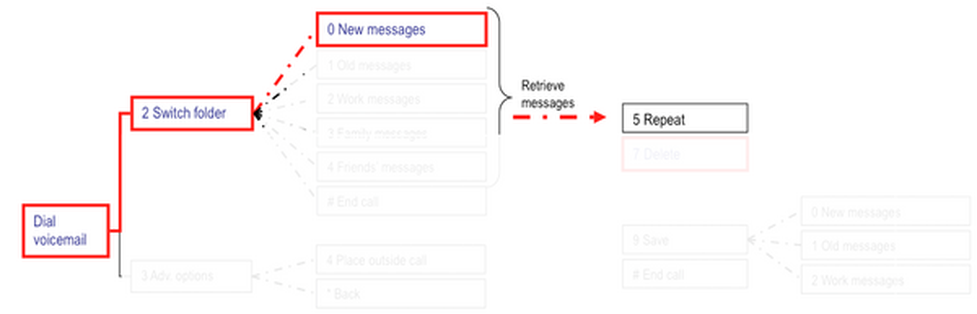
After accessing the voicemail system, dial 2 to switch folders.
Dial the folder you would like to switch to, e.g. 0 for “New messages” and listen to messages.
You can then dial 7 to delete the message you have just heard.