PRODUCT SPECIFICATIONS

Cloud Telephony.
Engineered for every business scale.

A deep dive into the features, protocols, and intelligent layers that power the NFON Cloud ecosystem. The technical blueprint of your secure, European communication stack.

Integrated. Secure. Reliable

Performance verified by users.

Business Standard

The reliable foundation for hardware-centric teams. Optimised for professional desk phones and essential CRM synchronisation, with built in AI capabilities and flexible local number blocks.

Business Premium

The intelligent workspace for modern hybrid teams. Includes Softphone, HD video meetings, advanced AI capabilities like transcription, conversation summaries, action items, and follow-up generation built in.

Foundation
Cloudya Mobile/Desktop Apps
Integrated Softphone (Mac/PC)
Add-on
150+ Core Features (IVR, CLIP, CLIR)
European Number Porting & Local Blocks.
10-Number Blocks
10-Number Blocks
Intelligence
AI Voicemail-to-Text
AI Call Summaries
Automatic task detection
AI Assistance
Deskphone AI
Collaboration
Meet & Share (Video Meetings)
Screensharing & Live Collab
Connectivity
CRM Connect (300+ platforms)
Add-on
NCTI Desktop Integration
Add-on
Add-on
Operations
E-Fax (Digital Faxing)
Add-on
Identity & Access
SRTP/TLS Encryption
Two-Factor Auth (2FA)
Single Sign-On (SSO)

Technical Note: All NFON Cloud Telephony products operate on a geo-redundant infrastructure with AES-256 end-to-end encryption.

Powerful by default

More than 150 capabilities built in.

From call routing and voicemail to AI powered summaries, intelligent assistance, and global numbers, NFON Cloud Telephony combines modern business communication with built in capabilities that help teams stay connected, responsive, and productive everywhere.

AI Call Summaries

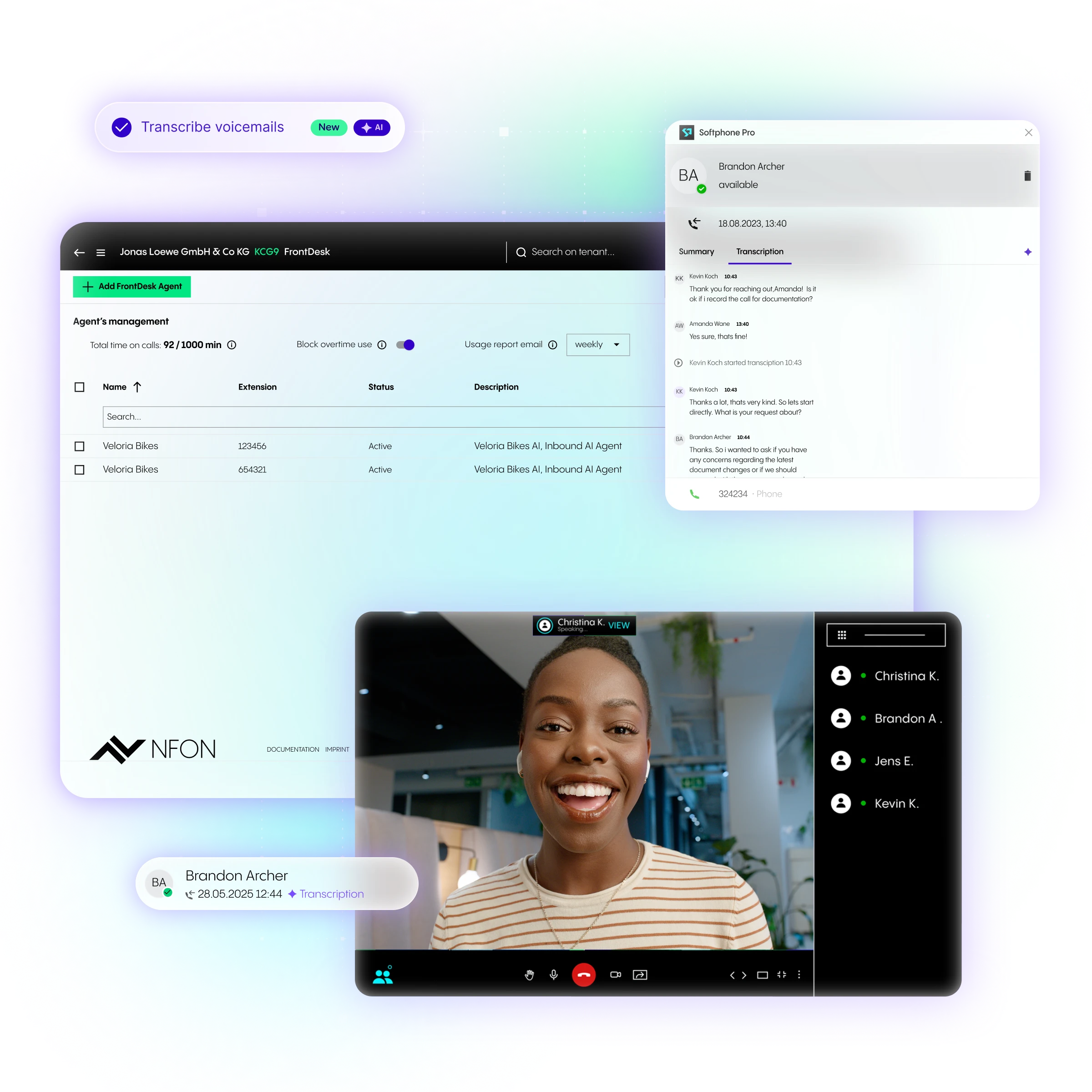
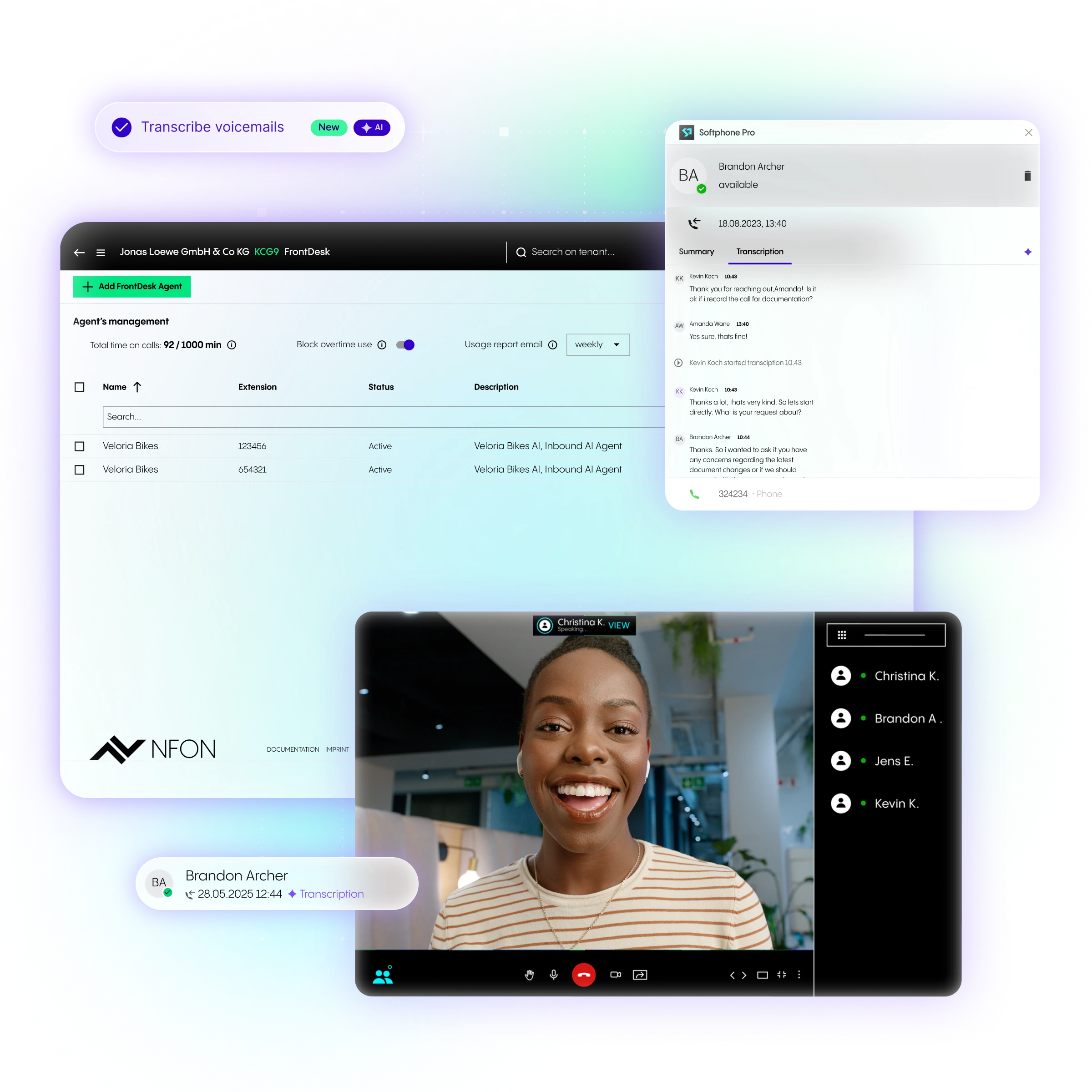
AI automatically transcribes calls and voicemails, summarizes key points, and generates action items so teams can easily review conversations and follow up faster.

Intelligent Voice Assistant

Our AI voice assistant answers calls, understands caller intent, and routes requests to the right person or department automatically for faster, smoother support.

Nia Digital Assistant

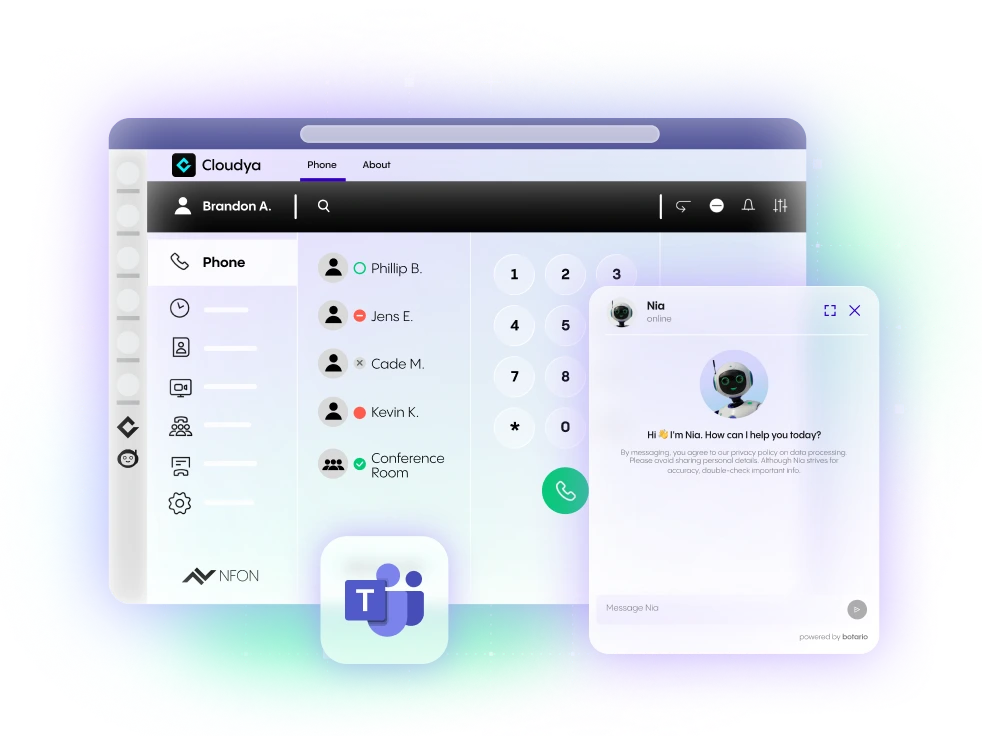
Embedded across NFON applications, Nia helps employees access information, complete tasks, and get support directly within their everyday workflows.

Call Routing

You can use call routing to specify when to forward incoming calls to specific parties. You can also determine call routing periods and call routing exceptions, such as a holiday rule.

Call Queuing

Call queues are often used to prevent callers from being turned away when there are not enough staff to handle a large number of calls. While in the queue, the caller is played pre-recorded music or a message that can be used to advertise products or services.

Voicemail

If an incoming call cannot be answered, the respective voicemail is activated. The message is saved digitally, as an audio file and, thanks to a new AI feature, also automatically as text. It can be listened to or read via email or directly in the Cloudya app.

Interactive Voice Response (IVR)

Interactive Voice Response navigates a caller through a menu by pressing the corresponding buttons on the telephone. Each touch of a button takes the caller to the next menu item and therefore ultimately to the correct point of contact.

CLIP

Calling Line Identification Presentation (CLIP) displays the telephone number of the caller. This allows the person receiving the call to identify who is calling before answering. It enhances call transparency and helps users screen unwanted or unknown numbers.

CLIR

Calling Line Identification Restriction (CLIR) is the process of withholding a number. Meaning there is no caller ID and the recipient cannot see who is calling.

Zero Touch Provisioning

Zero touch provisioning allows you to perform a mass rollout of your hardware with minimal logistic expenses by updating device firmware without manual configuration being required on the phone.

Phone Menus

With the tight integration through XML based menus, you have quick and easy access to core features of the PBX, such as parallel ringing, switching between call forwarding profiles and agent management.

International Phone Numbers

By providing local and international phone numbers it is possible for branches in different locations to get telephone access in a minimum of time. By using complete number blocks each employee can easily receive an own phone number.

integrations

Infinite connectivity. Zero friction.

NFON Cloud Telephony is built to play well with others. Whether you need to bridge your CRM data, sync with Microsoft Teams, or add industry-specific features like E-Fax, our ecosystem ensures your communication stack is always perfectly aligned.

CRM Connect.

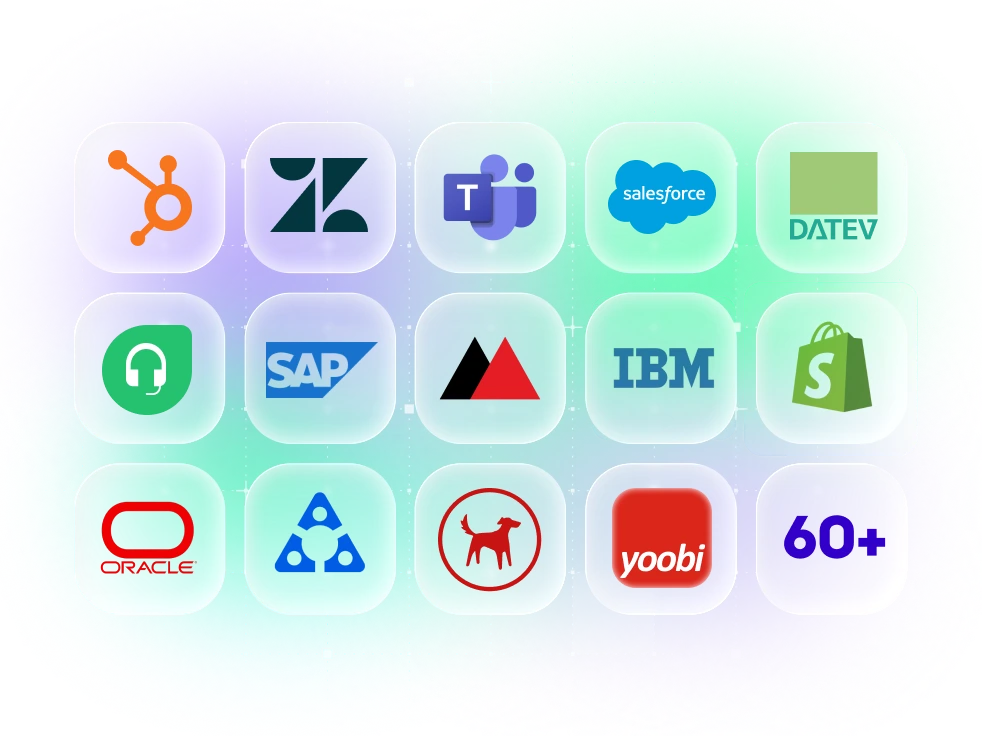
Sync with 60+ CRM systems including Salesforce, HubSpot, and SAP for instant caller context.

Microsoft Teams*.

Bring NFON’s professional voice quality directly into your existing Microsoft Teams* environment.

Premium Add-ons.

Enhance your setup with Monitoring Queues, Reception, Hospitality and professional recording tools.

Connect. Automate. Engage

Modern business communication built into one intelligent suite.

Enjoy faster collaboration, connected customer experiences, and more efficient workflows with intelligent automation, seamless integrations, and secure European cloud compliance built in.

ORGANIZATIONAL ALIGNMENT

Is NFON Cloud Telephony right for you?

AI ENABLEMENT

Businesses focused on efficiency.

Ideal for organisations looking to reduce manual work, automate repetitive communication tasks, help teams respond faster and improve customer experience.

BRAND AUTHORITY

Professional Small & Mid-size.

For growing companies needing a centralized, professional voice presence with advanced routing, zero-hardware maintenance, and easy admin control.

LEGACY MODERNIZATION

Enterprises moving to the cloud.

Organizations looking to retire expensive, on-premise PBX hardware and move to a secure, EU-hosted cloud solution with absolute platform stability.

ELASTIC LICENSING

Rapidly growing organizations.

Designed for businesses that need to add users or locations instantly, paying only for the active licenses they need as they expand globally.

Testimonials

A cloud telephony company you can trust.

"Our biggest challenge is to stay connected at all times. Thanks to Cloudya’s seamless integration with Microsoft Teams, we can now make calls directly from the app and benefit from streamlined workflows and insightful reporting with Monitoring Queues."
"Since we switched to NFON, we can finally take calls wherever we are and from any device. The integrations with Microsoft Teams have made things a lot easier, and we can use the whole Microsoft Teams suite, with any client or partner - just being a click away at all times."
"Instead of having different PBX systems for each location, we can now use one single, easily scalable communication solution. The integration of Cloudya has given our teams a lot more flexibility."
INDUSTRY ARCHITECTURE

Defining the standard of cloud communication.

SIP Trunking

The digital bridge connecting your legacy infrastructure or IP-PBX to the public telephone network. SIP (Session Initiation Protocol) allows for the high-capacity transmission of voice, video, and data over a single internet connection.

VoIP (Voice over IP)

The foundational technology that converts analog voice signals into digital data packets for transmission over the internet. VoIP eliminates the need for traditional copper lines, reducing costs and increasing call quality.

Hosted PBX

A Private Branch Exchange where the switching logic resides entirely in the nfon cloud. Provides enterprise-grade features (IVR, Queues) with zero physical on-site maintenance.

UCaaS

Unified communications as a Service. A model combining voice, video, messaging, and collaboration into a single, integrated cloud platform for a seamless user experience.

WebRTC

An open-source protocol enabling real-time communication directly within web browsers. NFON uses WebRTC for plugin-free HD meetings on any device without software installation.

FMC

Fixed Mobile Convergence. The bridge between cellular and Wi-Fi networks that allows your smartphone to function as a full office extension with seamless call handovers.

Data Sovereignty

All voice and signaling data is hosted exclusively in geo-redundant, T3+ data centers within the European Union. This ensures that your business communication remains under the protection of European jurisdiction and never leaves the EU.

AES-256 Encryption

The global gold standard for data protection. NFON utilizes Advanced Encryption Standard (AES) with 256-bit keys to secure all voice traffic and data at rest, preventing unauthorized access or tampering.

Frequently asked questions (FAQ)

How does cloud telephony work at NFON?

  • The phone system runs entirely in the cloud; no on-site hardware is required.

  • Users can make calls with a single number from various devices (PC, smartphone).

  • Features such as voicemail, call queues, and CRM integration are included.

  • Communication is flexible, location-independent, and secure with EU data hosting.

  • Setup is quick and easy, with porting of existing phone numbers.

  • NFON replaces traditional phone systems with a modern, cloud-based solution for flexible business communication.

What technology does the cloud telephone system use?

The base technology is called hosted PBX, often called IP Centrex. Both refer to the same concept: the telephone system is not installed at the company site but at an external data center, and can be accessed anywhere using the Internet.

Does NFON Cloud Telephony work for remote teams?

Absolutely! We optimized our platform for your colleagues all over the world. Not matter if you’re part of a call center, work in retail or e-commerce. We offer you a custom system.

Which cloud-based phone system providers are there?

NFON is the only pan-European provider of cloud telephone exchanges (Cloud PBX) and has a large partner network through which sales take place in different countries. NFON itself distributes its cloud telephone exchanges in Germany, Austria, Great Britain, Spain, Italy, France and Portugal through its own companies. In other countries, distribution is through partners.

Key points:

- NFON serves over 40,000 companies in 15 European countries.

- There are more than 2,700 partners in Europe acting as dealers, distributors or dealer partners.

- Distribution is mainly indirect through partners, with direct sales also available.

- Partners are regional or industry-specific and serve different company sizes.

What do I need for cloud telephony?

For cloud telephony with NFON, you need:

  • A stable internet connection with at least 100 kbit/s per simultaneous call and low latency (<100 ms).

  • End devices such as PCs, laptops, smartphones, or IP phones; Cloudya also works without special hardware, e.g., via app or browser.

  • A firewall configuration that allows VoIP traffic (SIP, RTP).

  • Supported operating systems and browsers (e.g., Windows, macOS, Android, iOS, current browsers).

  • A microphone and camera for voice and video functions.

  • The platform is device-independent and enables flexible use without complex hardware.

Is the NFON Cloud telephone system suitable for small businesses?

Yes, the NFON Cloud PBX is very well suited for small businesses. Key reasons:

  • It's flexible and scalable, adapting to your company's growth.

  • No expensive on-premises hardware is needed, as the phone system runs entirely in the cloud.

  • Easy setup and management, even without IT experts.

What is meant by unified communication?

Unified Communications (UC) refers to an integrated solution that combines different communication methods and channels into a single platform to improve collaboration and information exchange.

What is UCaaS?

UCaaS (Unified Communications as a Service) is a cloud-based communications solution that combines telephony, video meetings, chat, and collaboration in a single platform. It is offered on a subscription basis, meaning companies pay monthly or annually per user. The provider handles the infrastructure, updates, and maintenance. This ensures the system remains scalable, flexible, and accessible from anywhere.

What is the difference between an NFON softphone and a telephone?

An NFON softphone is software that allows you to make calls via the internet (VoIP) using a PC or mobile device. A telephone is a physical device that connects directly to the telephone system. The softphone offers greater flexibility, mobility, and advanced features, while the telephone serves as a traditional hardware device.

What does API integration mean at NFON?

API integration with NFON means you can integrate your NFON cloud-based phone system into your own systems via Application Programming Interfaces (API). This allows you to manage extensions, control calls, and automatically retrieve and process user information. NFON offers various APIs for this purpose, such as the Portal API for administration and the CTI API for telephony integration.

These open, flexible APIs enable customized solutions and automations that make your business processes more efficient.

What integration types are available for NFON Cloud telephone systems (e.g., webhooks, REST, SDK)?

NFON primarily offers the following integration types for cloud-based phone systems:

  • RESTful APIs (e.g., Service Portal API) for administration and automation

  • CTI API for phone control and real-time call events

  • Event-based integration (similar to webhooks) via CTI API for real-time events

  • SDKs (proprietary, e.g., with nCTI Premium) for advanced call integration

These APIs typically use JSON and HMAC authentication and allow for flexible integration into your own systems.

For questions about API integration: integration@nfon.com

Where are call recordings stored at NFON?

Call recordings at NFON are stored in fail-safe data centers within the EU. The recordings are encrypted to prevent tampering and meet high compliance standards. NFON uses the professional voice recording solution Neorecording for its cloud-based telephone system, which was specifically developed for legally compliant storage and documentation of conversations.

What certifications does NFON have?

NFON holds several important certifications that guarantee quality, information security, and data protection:

  • ISO 27001: Certification for Information Security Management Systems, valid for multiple locations in Germany (Munich, Berlin, Mannheim, Mainz).

  • ISO 9001: Certification for Quality Management Systems, confirming the professional handling of customer feedback and complaints.

  • BSI C5 Attestation (Type 1 and 2): Assesses the security architecture of cloud providers, important for security-conscious customers in sectors such as research, public service, finance, and healthcare.

  • ISO 50001: Certification for Energy Management.

What are the advantages of a cloud telephone system?

With NFON you eliminate the telephone system hardware, the telephone connection and the maintainer. The system is also flexible, scalable and simple to administer.

How secure is NFON Cloud Telephony?

The telephone system is operated over the Internet. The system itself is located at the NFON data center – it has a resilient set up failover at geographically separated servers. All services are guaranteed.

How do I connect a call in the app?

In the app, you can connect a call by following these steps:

1. When you are in a call and want to connect it, you can first put the call on hold by clicking the Hold button.

2. You can then accept or make a second call.

3. To connect the call, transfer it by selecting the desired contact or extension and confirming the transfer.

4. Successful transfer is displayed at the bottom of the screen with the message Call transferred to [person's name].

These functions are available in both the desktop app and the web app.

How much does the NFON cloud telephone system cost?

All prices can be found here.

Please note that these prices are only valid for Germany and prices vary across countries.

What is the difference between SIP and NFON VoIP?

The difference between SIP and VoIP is:

VoIP (Voice over IP) is the technology that transmits voice over the internet, i.e., the method by which phone calls are made digitally over IP networks.

SIP (Session Initiation Protocol) is a protocol that controls communication: It initiates, manages, and terminates phone or multimedia sessions. SIP is therefore a kind of "rules set" that enables VoIP calls and can also control video, messaging, and more.

In short: VoIP describes the "what" (voice transmission over IP), SIP the "how" (the protocol for controlling communication).

What is PBX Cloud?

A PBX (Private Branch Exchange) is a telephone system that manages internal and external telephone connections within a company. At NFON, the PBX is cloud-based ("Cloud PBX"), meaning the telephone system runs entirely in the cloud without any local hardware.

What are the advantages of unified communication?

The advantages of Unified Communications at NFON summarized:

  • Increased productivity through seamless collaboration

  • Cost savings thanks to cloud-based solutions without expensive hardware

  • Location-independent communication and mobile working

  • Integration of various channels such as telephony, chat, video, and collaboration

  • Support for modern, flexible work models

  • These advantages make companies more efficient, flexible, and future-proof.

Which apps allow you to make phone calls?

With NFON, you can make calls using the following apps:

Cloudya Web App: Make calls directly in your browser with features like click-to-dial, caller ID, and device selection (e.g., app, desk phone, mobile phone).

Cloudya Desktop App: Make calls via the desktop application with comprehensive features such as call forwarding, a favorites list, CRM integration, and click-to-dial.

Cloudya Mobile App (iOS and Android): Make calls on the go using VoIP with WiFi or mobile data, including call options like mute and speakerphone.

What is the cloud and how does it work?

The cloud is a network of distributed data centers that provide storage, computing power, and software. Instead of running programs locally on a personal computer or server, users utilize resources provided via the internet.

How do I integrate a cloud-based phone system with Microsoft Teams?

You can integrate your NFON cloud phone system into Microsoft Teams in two ways:

Cloudya App for Microsoft Teams

  • Installable directly from the Teams App Store

  • Enables telephony and all Cloudya features in Teams without additional licenses

  • Ideal for simple and immediate integration

Premium Integration via Direct Routing

  • Connects Teams and the NFON phone system via Direct Routing

  • Offers advanced features such as call queues, ACD routing, and contact center integration

  • Setup via the Microsoft Teams Admin Center

  • Requires a suitable Microsoft Teams license

Both options enable professional and flexible telephony in Microsoft Teams.

Is the NFON Cloud telephone system GDPR oriented?

Yes, the NFON cloud-based phone system is GDPR oriented. NFON follows the requirements of the General Data Protection Regulation (GDPR) through an integrated data protection management system that documents, monitors, and adapts data protection aspects. Data processing takes place in European data centers with high data protection standards. Furthermore, NFON is certified according to ISO/IEC 27001:2017 for information security. GDPR compliance is essential in technical and organizational measures.

Is there a data processing agreement (DPA) with NFON?

Yes, NFON provides a data processing agreement (DPA) in accordance with Article 28 of the GDPR. This agreement governs the data protection obligations between the client and NFON as the data processor. The agreement covers, among other things, technical and organizational measures, the client's rights of control, subcontracting arrangements, and the deletion and return of personal data.

Elevate your communication with cloud solutions.