:format(webp))
It's time to migrate your current softphone.
Your currently used softphone solutions: Nsoftphone Standard, Nsoftphone Premium, Noperatorpanel and iSoftPhone will reach End of Life (EOL) on May 31st, 2026.
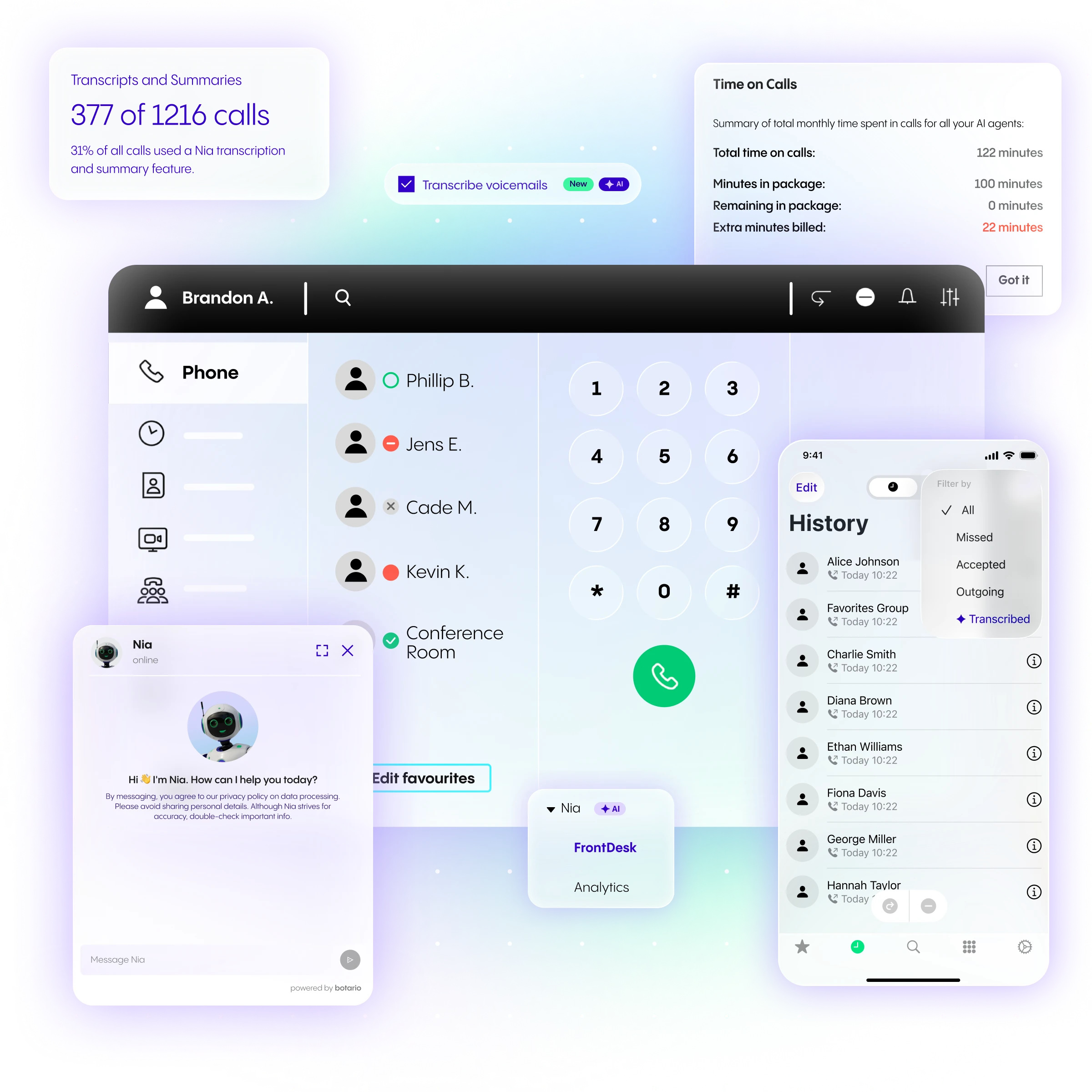
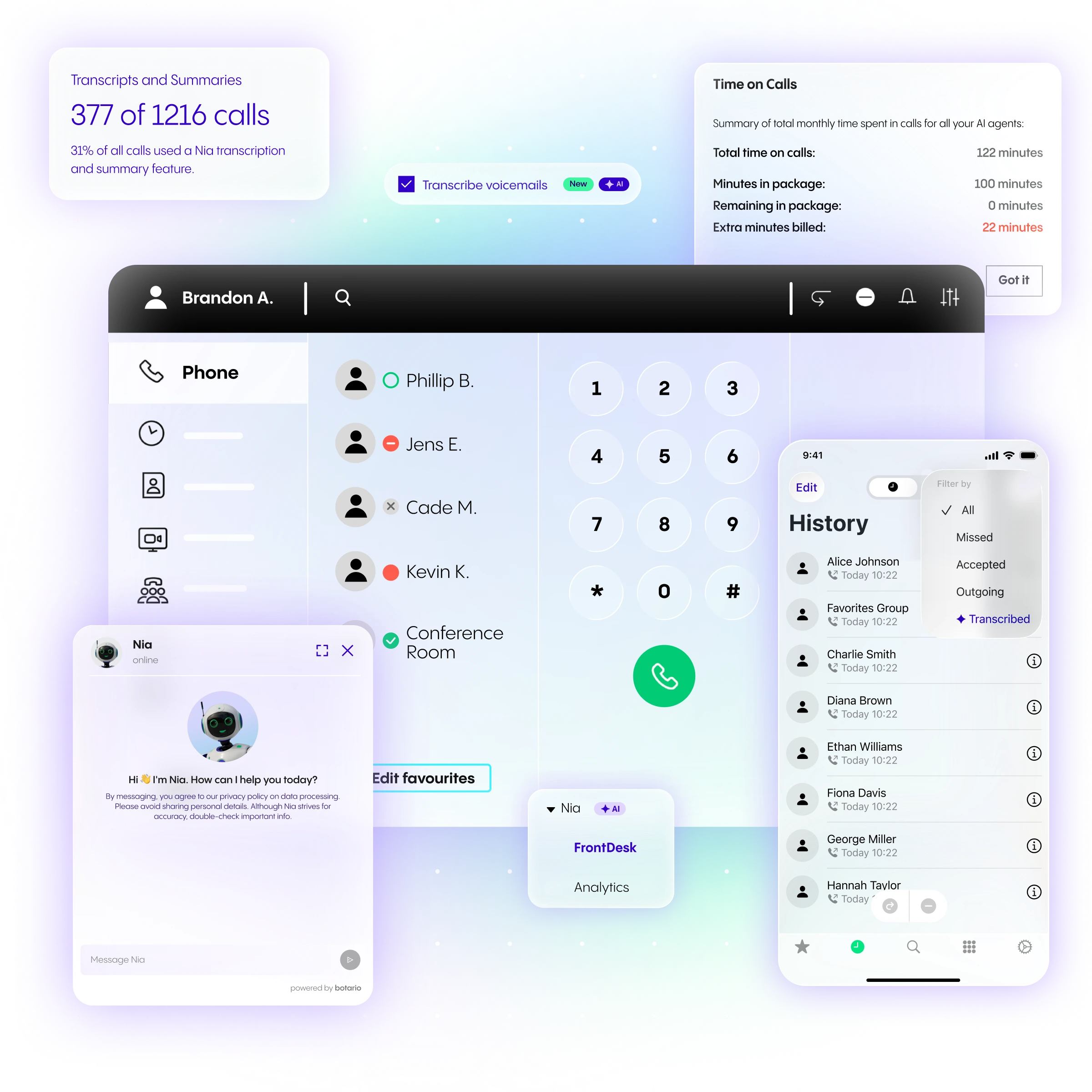
But don’t worry — we’ve got your back. We have already prepared the perfect successor products for you, which offer better user experience, increased security and more advanced features. We also made sure that the upgrade will not affect your monthly costs.
Our aim is to help you migrate to the better product without interruptions. We have prepared a clear migration plan to support your smooth transition. Scroll down to learn what are the next steps to move to your successor products.
Smooth & Guided Migration
To ensure seamless transition from your current legacy softphone to our most advanced solutions, we have prepared detailed step-by-step guides for Technical Administrators. These can be found below.
Our team will support you throughout the entire process to ensure efficient upgrade. As a result, you will benefit from a more powerful, future-ready solution - without additional costs - while receiving full support at every stage of the migration.
ADMINISTRATIVE SECTION
:format(webp))
CATEGORY A (with any of the following products: Nsoftphone Premium, iSoftphone for Mac or Noperatorpanel):
SUMMARY:
NFON WILL PROVIDE THE SAME NUMBER OF SOFTPHONE PRO LICENSES AS THE LEGACY SOFTPHONES CURRENTLY INSTALLED IN YOUR SYSTEM.
FROM A TECHNICAL PERSPECTIVE, THE ROLLOUT WILL TAKE PLACE BETWEEN MAY 1 AND MAY 13, 2026. THE EXISTING SOFTPHONES WILL REMAIN OPERATIONAL IN PARALLEL UNTIL THE END OF MAY.
Next steps:
As a Technical Administrator, you will need to complete the following steps across three areas of the migration: User Management, Cleanup of existing softphone users, and Assignment of softphones.
1. USER MANAGEMENT
1.1. User Accounts
If user accounts for your telephony users have not yet been created, please follow the steps below. You can begin this process immediately.
1.1.1. Access the User Management Application: https://accounts.nfon.com/
1.1.2. If you do not yet have a user account, log in to Service Portal 3: https://portal.nfon.com/
1.1.3. Follow the instructions to create your first administrator account: 
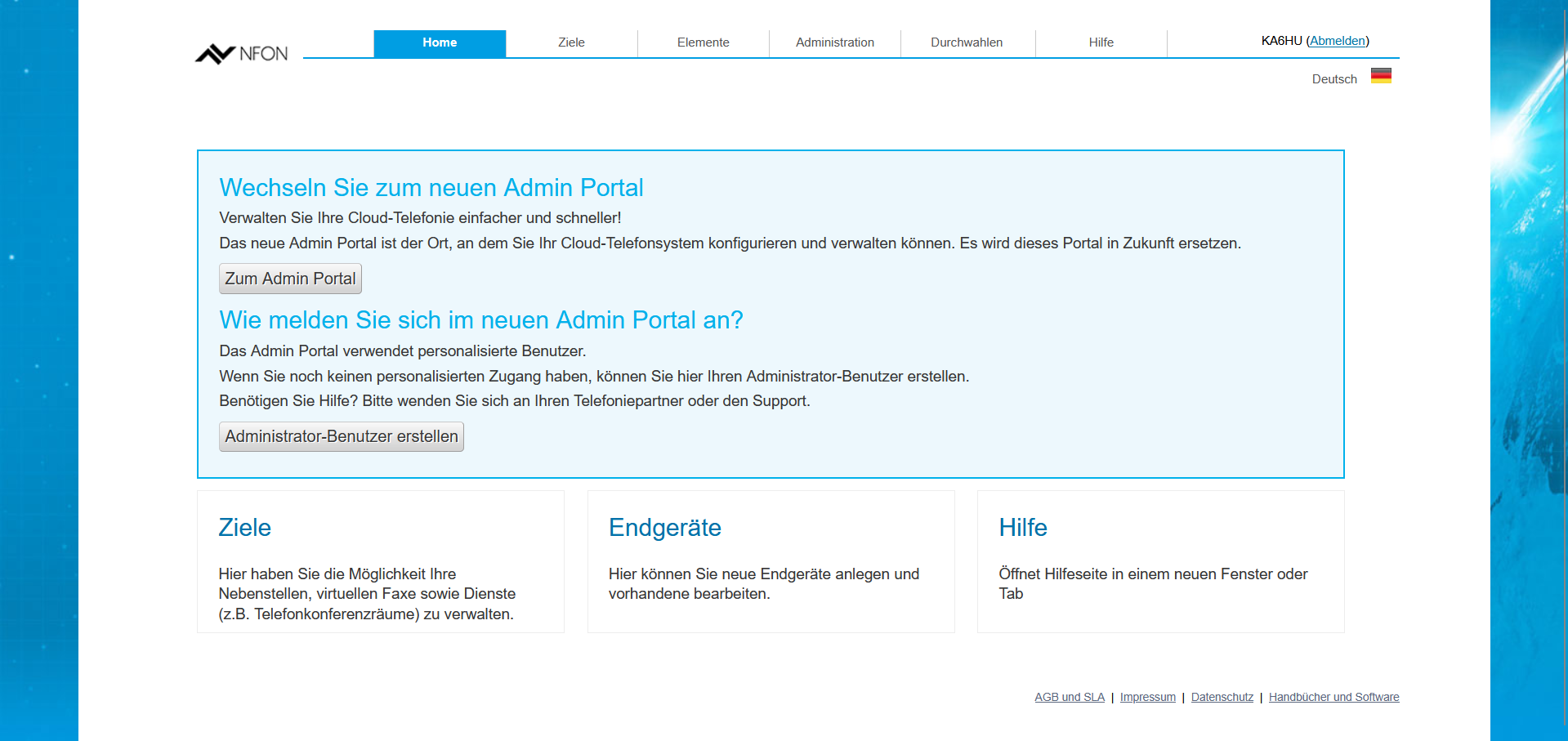
1.1.4. Once your administrator account is set up, log in to the User Management Application: (https://accounts.nfon.com/)
1.1.5. Navigate to Wizards > Export/Import:
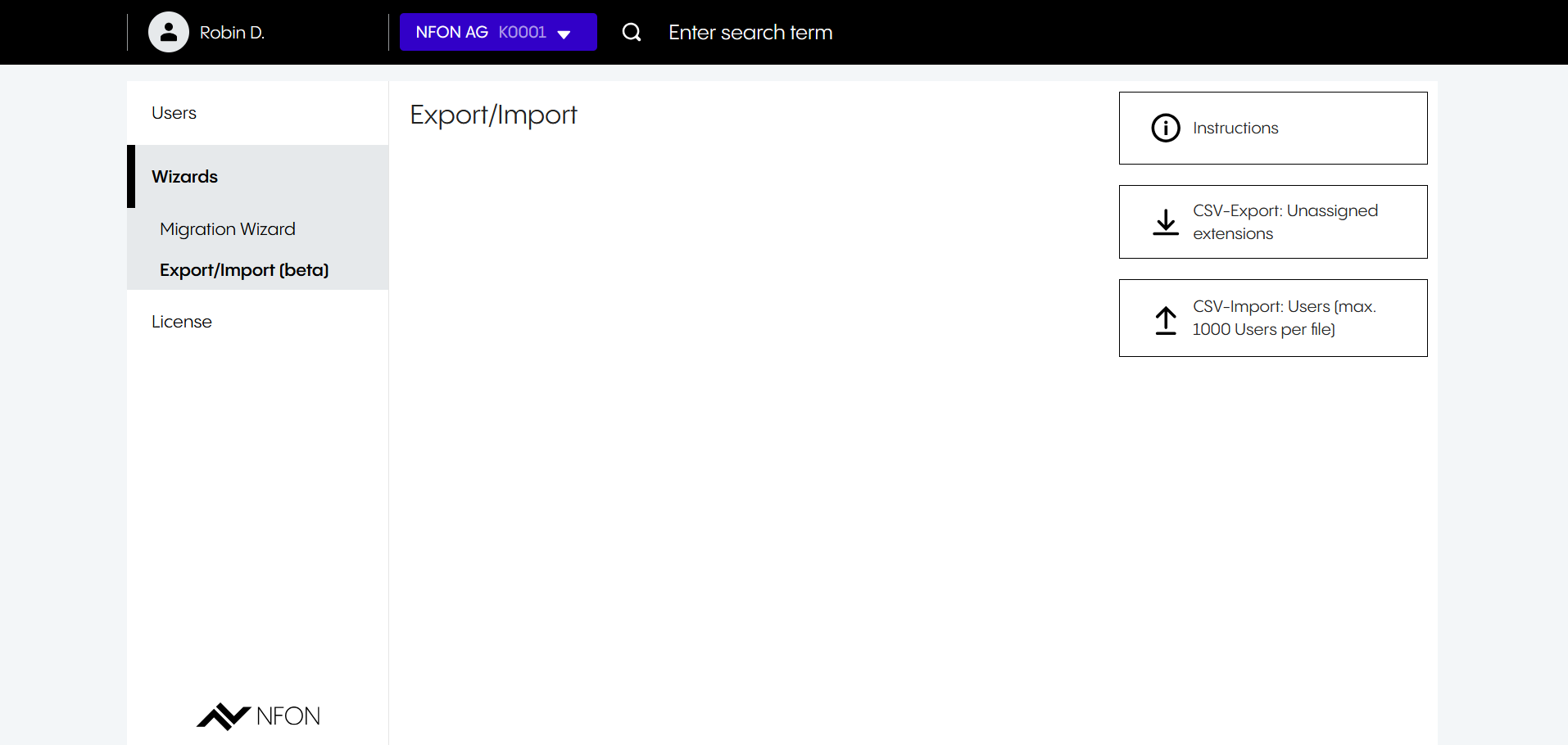
This tool enables the quick and efficient creation of user accounts.
1.1.6. Start by generating a CSV export. The file will be downloaded automatically by your browser.
1.1.7. Review and update the CSV file if necessary. It is pre-populated with data based on your extension configuration. In the next step, the file will be imported to create user accounts and link them to extensions. You can edit the file using Excel or any text editor.
1.1.8. Import the CSV file into the User Management Application to create user accounts. Users created through this process will receive an email prompting them to set their password. If your contract includes access to the Cloudya App suite or Softphone Pro, users will be able to log in once their password has been set.
1.1.9. Navigate to "Users" in the left-hand menu to manage all users within your tenant. This section also allows you to assign Softphone Pro licenses.
For administrators managing more than 1,000 users:
The CSV import supports a maximum of 1,000 users per upload. To stay within this limit, remove excess rows from the CSV file before importing. After completing the initial import, generate a new CSV export for the remaining users and repeat the process.
Additional Softphone Pro links:
International (English): https://www.nfon.com/en/service/documentation/manuals/nfon-software-manuals/softphone-pro/
Germany: https://www.nfon.com/de/service/dokumentation/handbuecher/nfon-software-handbuecher/softphone-pro/
Austria: https://www.nfon.com/de/service/dokumentation/handbuecher/nfon-software-handbuecher/softphone-pro/
2. SOFTPHONE USERS CLEAN-UP
As part of the softphone migration, you can review the usage of legacy softphones in your system and adjust the number of registered devices until April 30, 2026.
How to remove legacy softphone devices:
2.1. Access the Admin Portal: https://admin.nfon.com/
2.2. (optional) Select your PBX if multiple systems are available.
2.3. Navigate to Configuration > Devices.
2.4. Apply a filter to display legacy softphone devices:
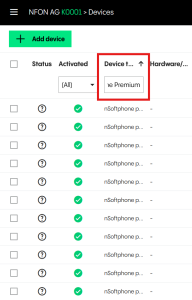
2.5. Select legacy softphone devices that are no longer required.
2.6. Deactivate all selected devices:
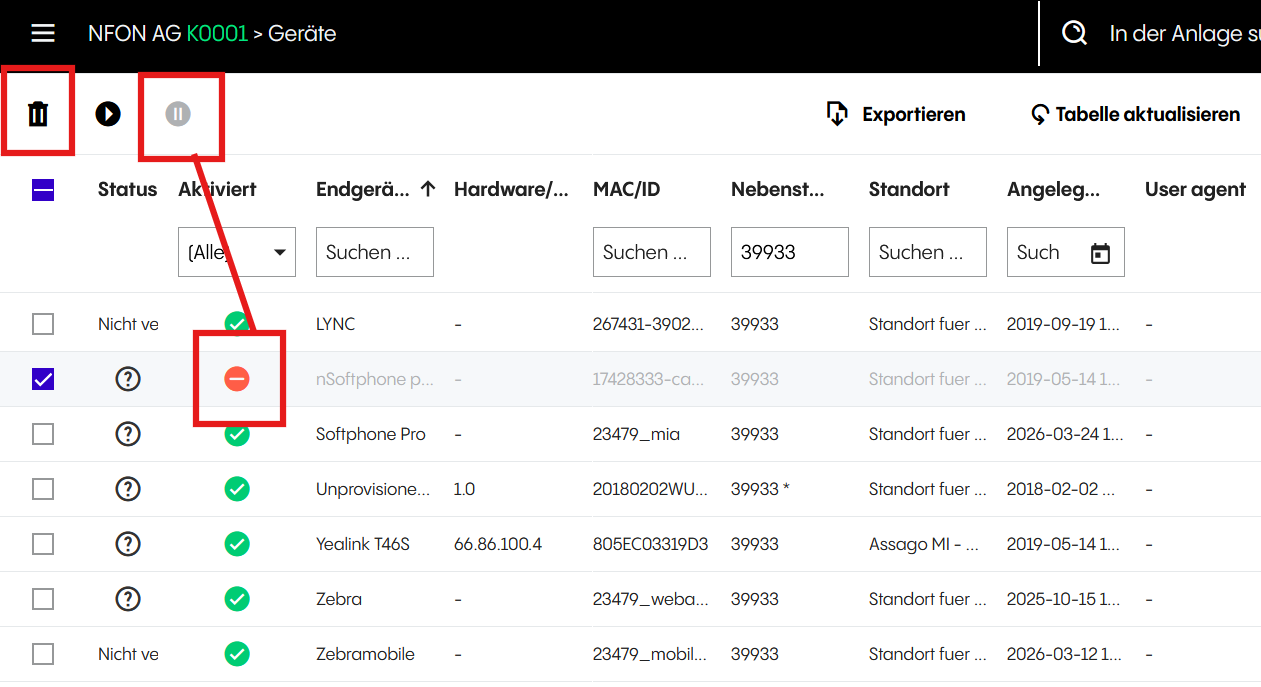
This will reduce the number of Softphone Pro licenses generated. After April 30, 2026, the remaining legacy devices will determine the number of Softphone Pro licenses allocated.
EXAMPLE:
A PBX initially contains 12 legacy softphone devices, 7 of which are assigned to extensions.
Before April 30, 2026, the administrator removes 2 unused devices.
The PBX now has 10 legacy devices, with 7 still assigned.
From May 1st to May 13th, 2026 at the latest, Softphone Pro licenses will be generated based on the remaining number of older devices.
At this stage, the PBX contains 10 legacy devices (7 assigned) and 10 Softphone Pro licenses, of which 7 are assigned to users.
During May, both legacy softphones and Softphone Pro can be used in parallel.
At the end of May, legacy softphone servers will be decommissioned and all legacy devices will be removed.
3. SOFTPHONE PRO ASSIGNMENT:
3.1. On May 1st, 2026, NFON will generate Softphone Pro licenses based on the number of legacy softphone devices in your system.
3.1.1. If user accounts have already been created, licenses will be automatically assigned to users with a legacy softphone linked to their extension.
Please ensure that the user has been assigned an extension. User accounts without an extension cannot obtain a Softphone Pro license.
3.1.2. If user accounts are created after this date, licenses can be assigned manually via the User Management Application.
3.2. Softphone Pro Installation Steps - detailed manual:
3.2.1. Install the New Client
Once the replacement solution has been identified, install the corresponding client application on the users’ devices.
3.2.2. Download the Softphone Pro Client
Download the Softphone Pro client from the NFON website: https://www.nfon.com/en/service/downloads/
Please ensure that you select the version compatible with the users’ operating systems:
For macOS: use the .dmg installer
For Windows: use the .msi installer
3.2.3. Install the Software
Install Softphone Pro on the user’s device following the standard installation procedure. Detailed installation instructions are available in the technical manual: https://www.nfon.com/en/service/documentation/manuals/nfon-software-manuals/softphone-pro/
3.2.4. Verify License Assignment
Softphone Pro requires a valid license assigned to the user in the User Management Application: https://accounts.nfon.com/
Instructions for license assignment and management can be found here: https://www.nfon.com/en/service/documentation/manuals/cloudya/user-management-application/user-management-application-documentation
For network configuration, please also refer to the Plug & Play 2.0 leaflet: https://www.nfon.com/en/service/documentation/leaflets/systemspecifictopics/leaflet-plug-play-2
In particular, under section B. Router/Firewall Settings, ensure that your network is properly configured to allow access to NFON services and to enable correct license validation.
3.2.5. User Login
After the license has been assigned and the application installed, users can sign in using their existing NFON Cloud Telephony (Cloudya) credentials and continue using their assigned extension.
Documentation:
Further technical documentation for Softphone Pro and related topics is available at:
Softphone Pro Technical Manual: https://www.nfon.com/en/service/documentation/manuals/nfon-software-manuals/softphone-pro/
NFON Documentation Portal: https://www.nfon.com/en/service/documentation/manuals/
Plug & Play 2.0 (Network & Firewall Configuration): https://www.nfon.com/en/service/documentation/leaflets/systemspecifictopics/leaflet-plug-play-2
3.3. After May 1, 2026 onward, the standard license assignment process applies.
For more information, please refer to: https://www.nfon.com/en/service/documentation/manuals/cloudya/user-management-application/user-management-application-documentation/b-using-the-app/3-managing-licenses/
During May, legacy softphones and Softphone Pro can be used simultaneously.
For further information on the installation and use of Softphone Pro, please refer to the following resources:
Technical Manual:
International (English): https://www.nfon.com/en/service/documentation/manuals/nfon-software-manuals/softphone-pro/
Germany: https://www.nfon.com/de/service/dokumentation/handbuecher/nfon-software-handbuecher/softphone-pro/
Austria: https://www.nfon.com/de/service/dokumentation/handbuecher/nfon-software-handbuecher/softphone-pro/
User Manuals:
CATEGORY B (with Nsoftphone Standard):
SUMMARY:
AVAILABLE OPTIONS DEPEND ON YOUR CURRENT TELEPHONY TARIFF AND PROVIDE DIFFERENT PATHS TO REPLACE NSOFTPHONE STANDARD BEFORE ITS END OF SERVICE ON MAY 31, 2026.
Next steps:
Depending on your current telephony tariff, the following options are available:
If you are using Nsoftphone Standard with the NFON Cloud Telephony (Cloudya) Business Premium tariff:
The NFON App Suite is already included in your Business Premium tariff and can be used as a direct replacement for Nsoftphone Standard. Please note that Nsoftphone Standard will be decommissioned after May 31, 2026. By switching to the NFON App Suite, you will be prepared for future developments and gain access to the latest AI-based features.
If you are using Nsoftphone Standard with the NFON Cloud Telephony (Cloudya) Business Standard tariff:
If you already use the NFON Mobility option, you can continue using your NFON App Suite as your softphone solution.
If not, the following options are available. Please contact your NFON sales representative for guidance on the most suitable and efficient upgrade path:
Option A: Order additional Mobility option licenses
Option B: Purchase Softphone Pro licenses at a special migration price of €3.90 (instead of €4.80), valid until August 1, 2026, including a 30-day trial period
Option C: Upgrade to Business Premium and use the NFON App Suite as a replacement
Option D: Alternatively, discontinue Nsoftphone Standard after the end of service (e.g. switch to a desk phone)
If you are using Nsoftphone Standard with a legacy NFON contract (e.g., Nvoice, Voll-Version, Premium (incomplete), NFON Business, or NFON Business Plus):
The following options are available. Please contact your NFON sales representative for guidance on the most suitable upgrade path:
Purchase Softphone Pro licenses at a special migration price of €3.90 (instead of €4.80), valid until August 1, 2026, including a 30-day trial period
Upgrade to Business Premium and use the NFON App Suite as a replacement
Alternatively, discontinue Nsoftphone Standard after the end of service (e.g. switch to a desk phone).
In addition to the Cloudya App Suite, it is also possible to order Softphone Pro licenses based on your users’ needs. Please note that Softphone Pro can only be configured once the required number of licenses has been ordered. For assistance, please contact your NFON partner. For more detailed information about Softphone Pro, please refer to the following links:
Technical Manual:
International (English): https://www.nfon.com/en/service/documentation/manuals/nfon-software-manuals/softphone-pro/
Germany: https://www.nfon.com/de/service/dokumentation/handbuecher/nfon-software-handbuecher/softphone-pro/
Austria: https://www.nfon.com/de/service/dokumentation/handbuecher/nfon-software-handbuecher/softphone-pro/
User Manuals:
CATEGORY C (combination of solutions from categories A and B):
SUMMARY:
IF YOUR ENVIRONMENT INCLUDES MULTIPLE LEGACY SOFTPHONE SOLUTIONS, YOU REQUIRE A COMBINED MIGRATION APPROACH WITH BOTH AUTOMATIC LICENSE REPLACEMENT AND TARIFF-BASED TRANSITION OPTIONS.
Next steps:
Review your current setup to identify which users fall under each category, complete user account preparation, clean up unused legacy devices by April 30, 2026, and select appropriate replacement options where required. Softphone Pro licenses will be generated automatically where applicable, while remaining users must be migrated based on their tariff. Contact your NFON representative to define the most efficient overall migration strategy.
In case of questions please reach out to your NFON representative.
You can also find useful information here:
Technical Manual:
International (English): https://www.nfon.com/en/service/documentation/manuals/nfon-software-manuals/softphone-pro/
Germany: https://www.nfon.com/de/service/dokumentation/handbuecher/nfon-software-handbuecher/softphone-pro/
Austria: https://www.nfon.com/de/service/dokumentation/handbuecher/nfon-software-handbuecher/softphone-pro/
User Manuals:
Frequently Asked Questions
Which softphones are going End of Life and why?
Legacy softphone solutions which will reach their End of Life on May 31st, 2026, are: Nsoftphone Standard & Premium, Noperatorpanel and iSoftPhone.
The reason for this is due to technical limitations of these solutions and the need to provide a more advanced, reliable, convenient and secured cloud telephony experience to softphone Customers.
When will my current softphone stop working?
Nsoftphone Standard & Premium, Noperatorpanel and iSoftPhone will be decommissioned by April 30th, 2026, with all related services shut down by May 31st, 2026.
What is the recommended replacement solution for my current softphone?
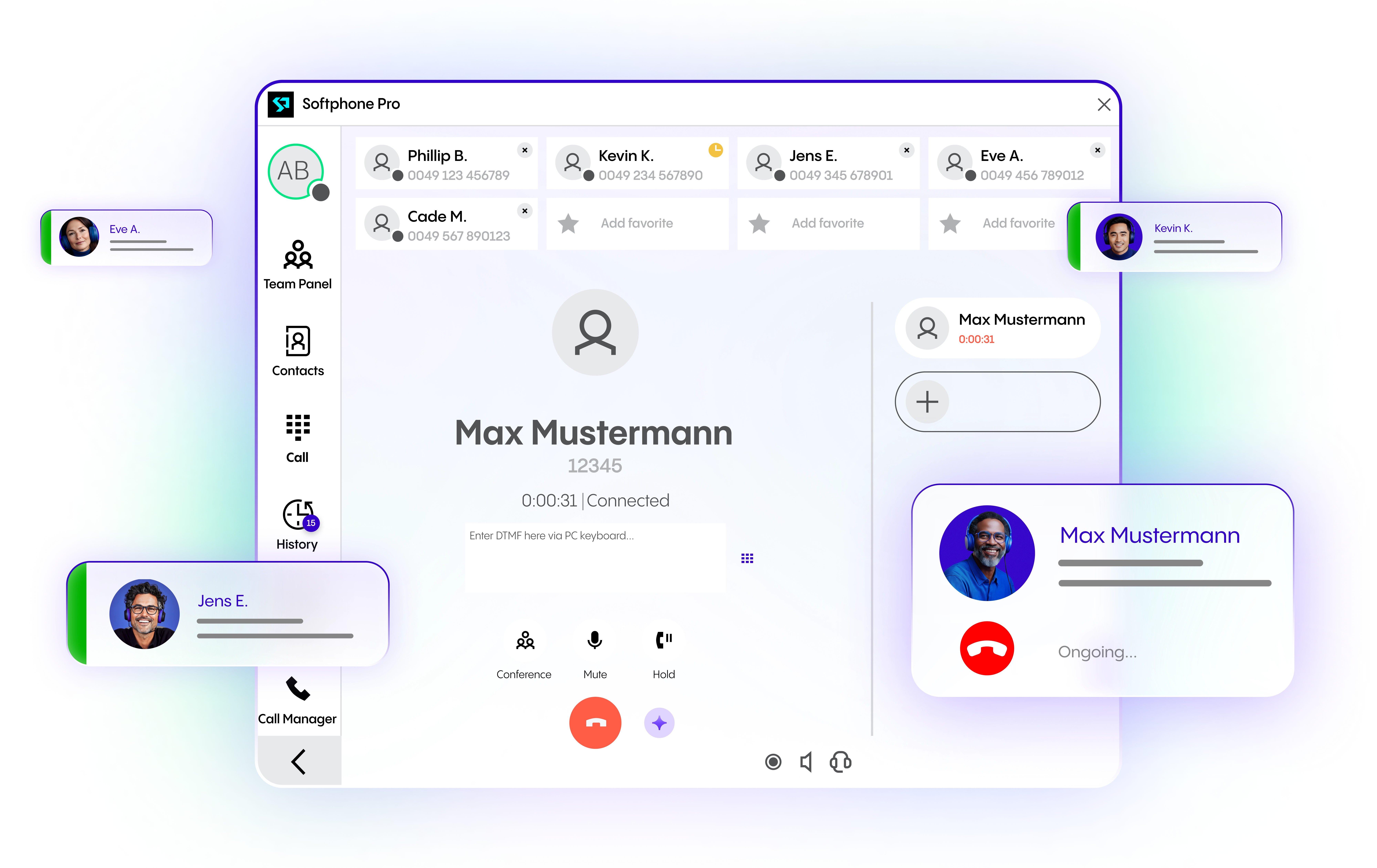
The recommended replacement solution is Softphone Pro. Softphone Pro serves as the direct successor to legacy softphones. It is a modern, powerful desktop softphone designed for professional call handling and customer service environments. It integrates seamlessly with NFON Cloud Telephony and supports advanced features, like CRM integration via TAPI, multi-user Terminal Server compatibility, call queues, BLF presence, and drag & drop call transfers.
What are the main benefits of migrating to Softphone Pro?
Softphone Pro offers improved usability, greater flexibility, and enhanced performance compared to legacy solutions. It supports seamless system integration and includes AI-powered features that enable smarter workflows and automation. It is designed as a long-term, future-proof solution that evolves with business needs.
Will there be any additional costs associated with the migration?
For customers using Nsoftphone Premium, iSoftphone, or Noperatorpanel, migration to Softphone Pro is provided at no additional cost.
For customers using Nsoftphone Standard, costs may apply depending on the selected upgrade option, although special migration pricing and trial options are available.
What happens to customers currently using Nsoftphone Premium, iSoftphone, or Noperatorpanel?
All existing installations will be automatically replaced with Softphone Pro licenses at no extra cost. The number of licenses will match the current setup, and the process requires minimal technical effort.
What options are available for customers using Nsoftphone Standard?
Customers have several options depending on their tariff:
Use NFON App Suite (included in Business Premium),
Use NFON Mobility (if already available),
Purchase Softphone Pro licenses at a discounted migration price,
Upgrade to a Business Premium tariff,
Alternatively, discontinue the softphone and switch to other devices (e.g., hardphones).
Customers are advised to contact their NFON sales representative to determine the best option.
Do customers need to manually cancel or order new services as part of the migration?
No manual termination or order process is required for customers using Nsoftphone Premium, iSoftphone, or Noperatorpanel. For Nsoftphone Standard users, some actions may be required depending on the chosen migration option.
What actions are required from administrators to complete the migration successfully?
Administrators should:
Review their current softphone usage and assigned users,
Follow the migration guidance in the Admin area,
Clean up and manage user assignments where necessary,
Assign new Softphone Pro licenses (where applicable),
Coordinate with their NFON sales representative for optimal configuration and upgrade decisions.